Development task
Shopify theme sections (metafields)
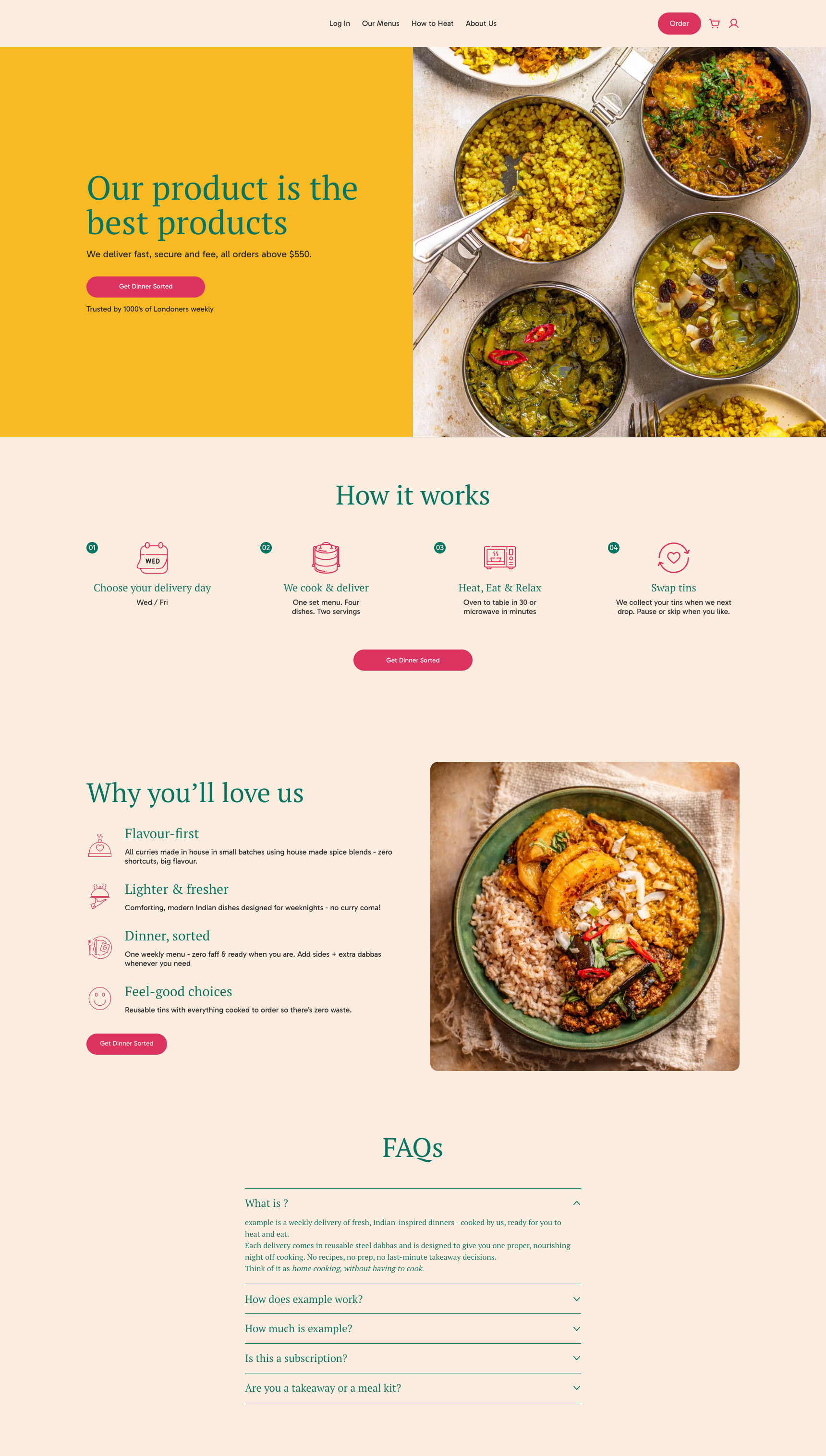
Use the provided desktop and mobile reference images to build metafield-driven sections. Pixel-perfect accuracy is NOT required.
Task overview
The reference images live in this project: dev-task-desktop.png and dev-task-mobile.png. Recreate the layout and content structure using Shopify sections that read from metafields (not theme settings). Focus on structure, hierarchy, and responsive behavior rather than pixel-perfect details.

Sections to build
1) Hero / Intro
- Two-column on desktop (text left, image right)
- Stacked on mobile
- Heading, subheading, CTA, trust line, hero image
2) How it works
- Section title + 4 step cards
- Each step: icon, title, description
- CTA button below steps
3) Why you’ll love us
- Two-column on desktop (text list + image)
- Stacked on mobile
- 4 benefits: icon, title, description + CTA
4) FAQs
- Accordion list of question + answer
- One open by default (optional)
Requirements
- All content must be driven by metafields.
- Use a consistent namespace and document it in README.
- Use `resource.metafields.namespace.key` to read values.
- Provide clean fallbacks for missing metafields.
- Use `image_url` + `image_tag` for responsive images.
- The code should pass Shopify Theme Check (valid Liquid and schema).
Deliverables
- One section file per block above (hero, steps, etc.)
- A short README explaining required metafields and where to create them in the Shopify admin.
Submit your task
Complete the Asana form below with your demo and repository links.